Instagram Profile Downloader
Download Instagram profile photos in HD and copy bios easily with just a few clicks.
Download High-Quality Instagram Profile Pictures with Extra Info
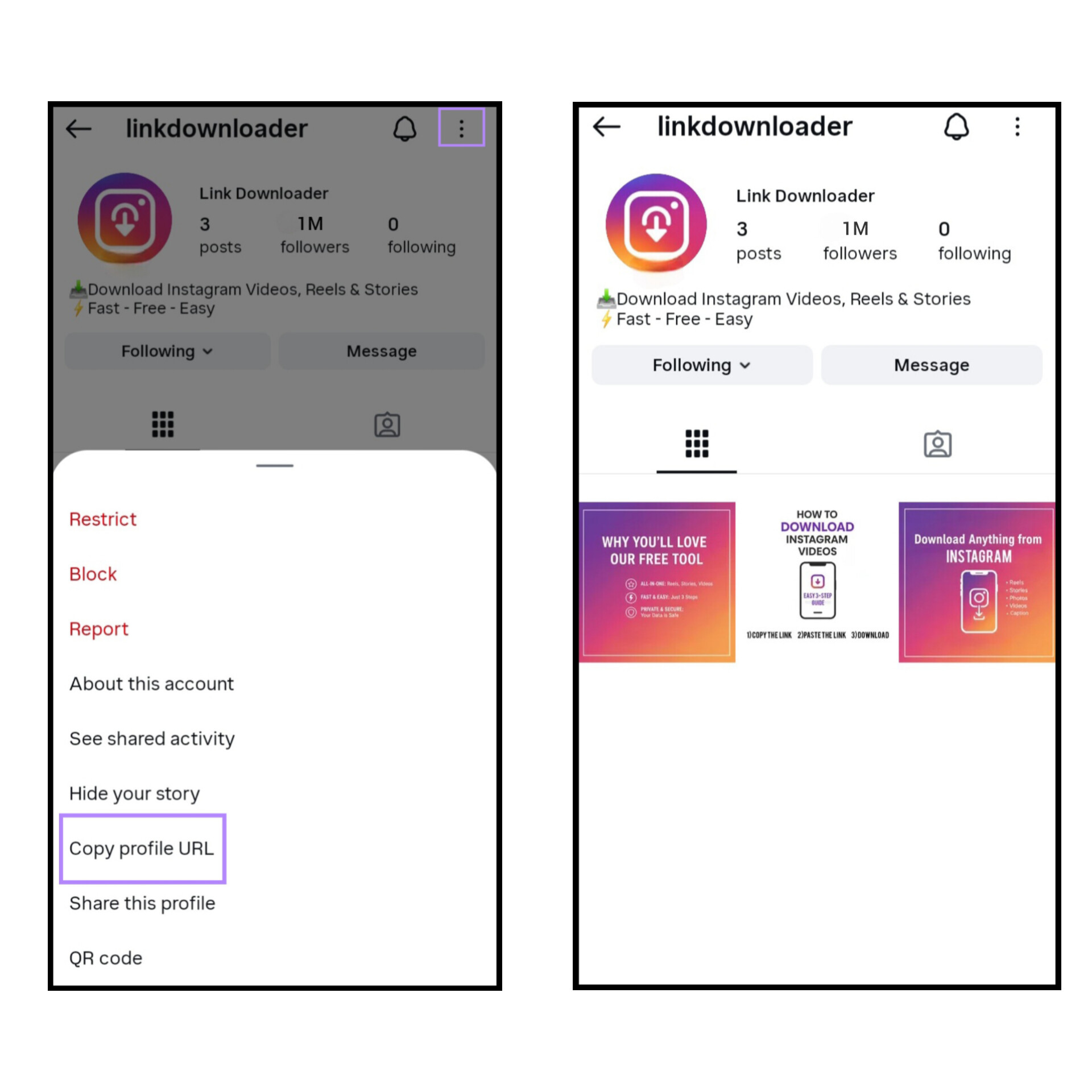
Our platform offers a simple and efficient way to download profile pictures.
Sometimes you just want to see someone’s Instagram profile picture properly or copy their bio, but Instagram doesn’t let you do that. With this tool, you can easily open the profile photo in full size and copy the bio whenever you need it.
Forget about blurry screenshots. Just copy the username or link to the profile you want, and you can access the high-quality profile picture. Plus, enjoy other features like copying the bio, follower count, following, and posts.
Our site is free, fast, safe, and helps you save everything you need, anytime you want.
How to Use the Tools
Follow these simple steps to download Instagram content easily and quickly.
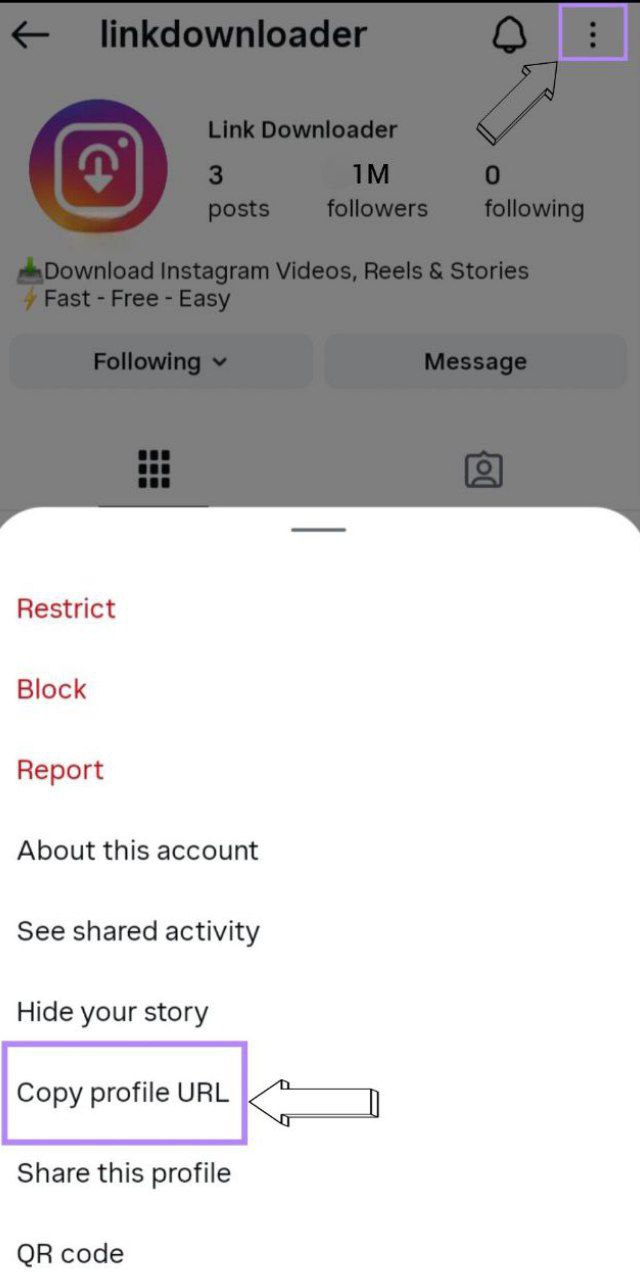
1. Copy the URL:
Open the profile of the account you want to download and copy its URL.
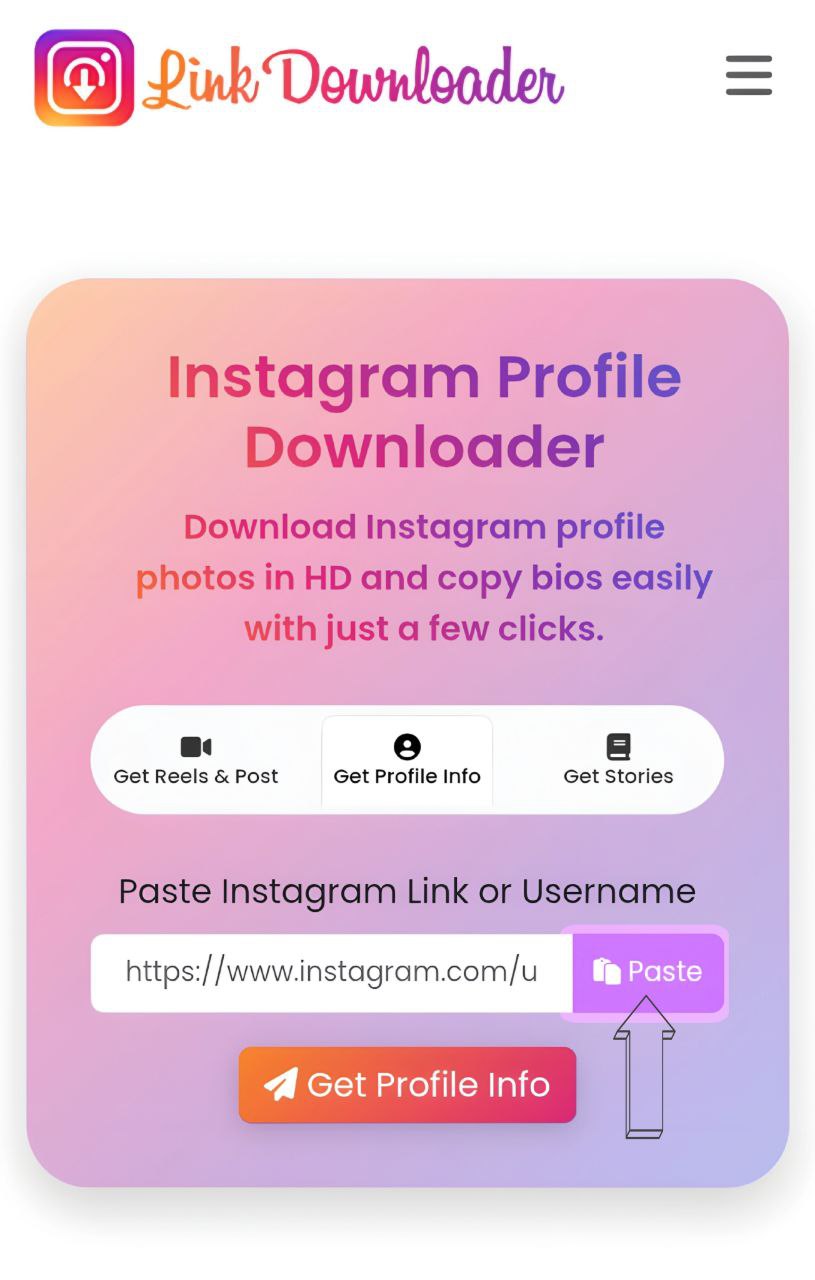
2. Paste the link:
Paste the copied URL into the Instagram profile downloader field.
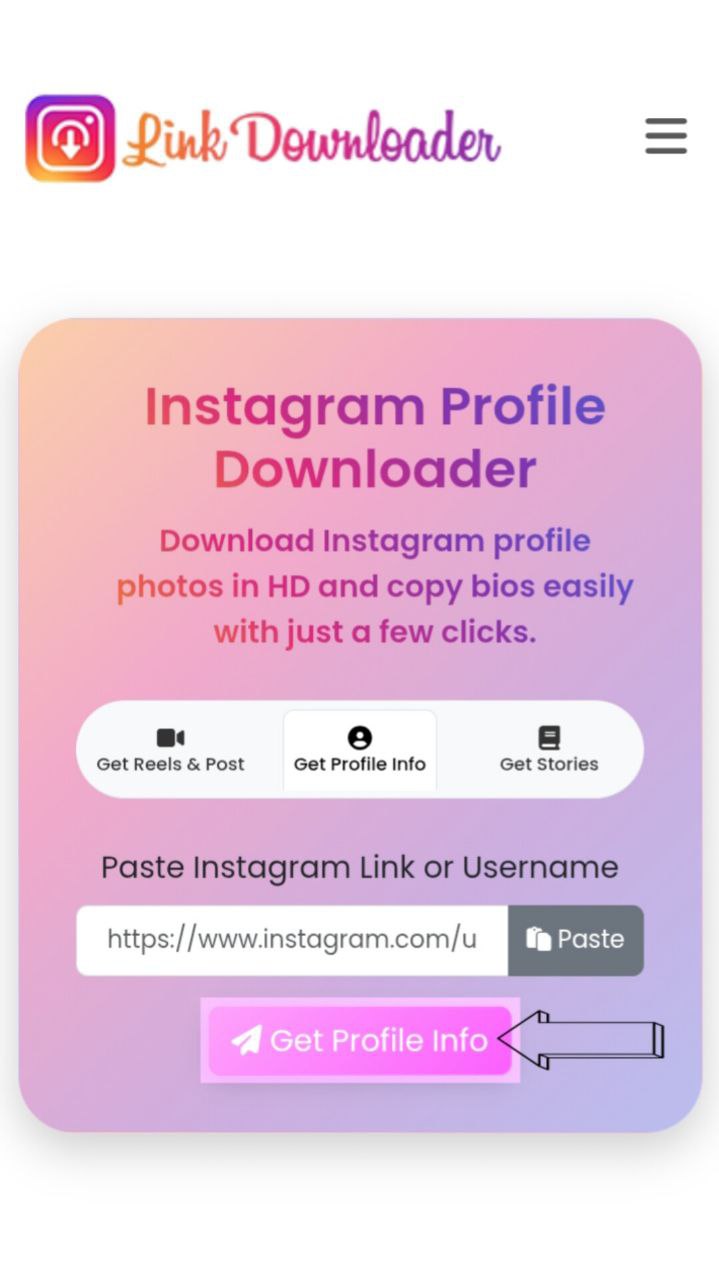
3. Download:
By pressing the Download button, you can save the profile picture or easily copy the bio.
Frequently Asked Questions
The most common questions and answers to help you get started!
If you can't find the answer to your question, feel free to
contact us.